






Cudy WE4000 Wifi 6E Bluetooth 5.3 PCIE Adapter : Future-Proof Your PC in Nepal
Dominate Online Gaming with the Cudy WE4000 Wifi 6E Bluetooth 5.3 PCIE Adapter
For desktop users in Kathmandu and Biratnagar, relying on Ethernet cables isn’t always possible, and standard USB Wi-Fi dongles often overheat or drop connections during critical moments. The Cudy WE4000 Wifi 6E Bluetooth 5.3 PCIE Adapter is the definitive solution to these connectivity bottlenecks. By plugging directly into your motherboard’s PCIe slot, this adapter provides a dedicated, high-bandwidth lane for your internet traffic, utilizing the power of the renowned Intel AX210 chipset.
Whether you are a competitive gamer needing the lowest ping on WorldLink fiber or a video editor transferring massive files to a NAS, the Cudy WE4000 Wifi 6E Bluetooth 5.3 PCIE Adapter delivers performance that rivals a wired connection. It is not just an adapter; it is a complete networking overhaul for your PC.
Why Upgrade to Wi-Fi 6E in Nepal?
Unlocking the 6GHz Superhighway
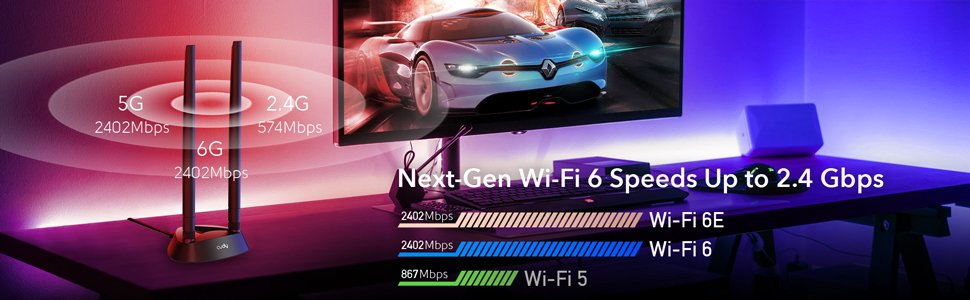
Traditional routers in Nepal operate on the 2.4GHz and 5GHz bands. In crowded neighborhoods like New Road or apartments in Lalitpur, these bands are congested with signals from neighbors, causing lag and jitter. The Cudy WE4000 Wifi 6E Bluetooth 5.3 PCIE Adapter is capable of receiving the new 6GHz band.
-
Zero Interference: The 6GHz band is exclusive to Wi-Fi 6E devices. This means no interference from older microwaves, baby monitors, or your neighbor’s outdated router.
-
160MHz Channels: It supports up to seven 160MHz channels, allowing for massive throughput. You can stream 4K/8K video content without buffering, even if everyone else in the house is using the Wi-Fi.
The Power of Intel AX210 Chipset
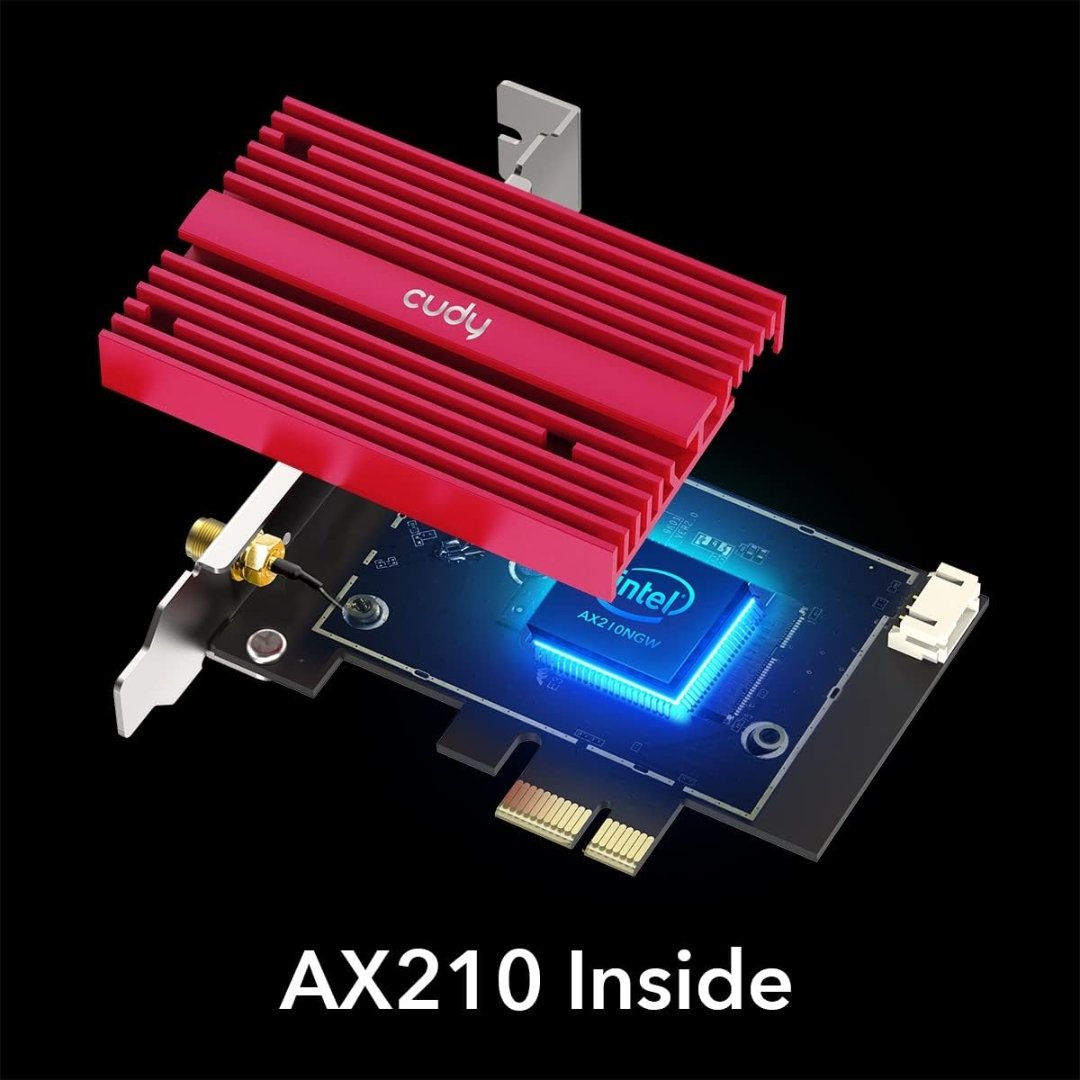
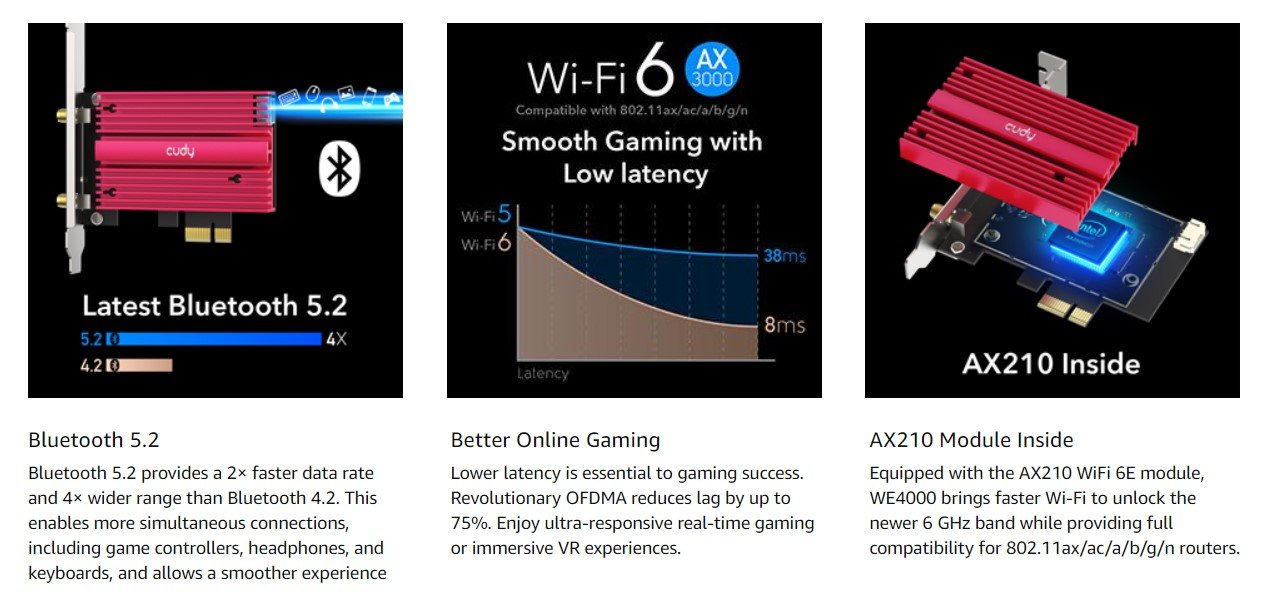
At the heart of the Cudy WE4000 Wifi 6E Bluetooth 5.3 PCIE Adapter lies the Intel AX210 module. Unlike generic Realtek or MediaTek chipsets found in cheaper cards, the Intel AX210 is the gold standard for stability and driver support on Windows 10 and Windows 11.
-
Driver Stability: Intel frequently updates drivers to optimize performance for the latest games and Windows updates.
-
Longevity: This industrial-grade chipset is designed to run 24/7 without throttling, ensuring your download speeds remain consistent during long sessions.
Advanced Bluetooth 5.3 Integration
Connect All Your Peripherals Seamlessly
Many desktop PCs lack built-in Bluetooth or use older, laggy versions. The Cudy WE4000 Wifi 6E Bluetooth 5.3 PCIE Adapter instantly upgrades your system to Bluetooth 5.3.
-
For Gamers: Connect your Xbox or PS5 DualSense controllers wirelessly with practically zero latency.
-
For Audiophiles: Enjoy high-fidelity audio with modern Bluetooth headphones (like Sony WH-1000XM5) without the audio sync delay common in older Bluetooth 4.2 adapters.
-
Range: Bluetooth 5.3 offers 4x the signal range of Bluetooth 4.2, meaning you can walk around your room with your wireless headset without the music cutting out.
Engineered for Performance and Cooling
Magnetized Antenna Base for Optimal Signal
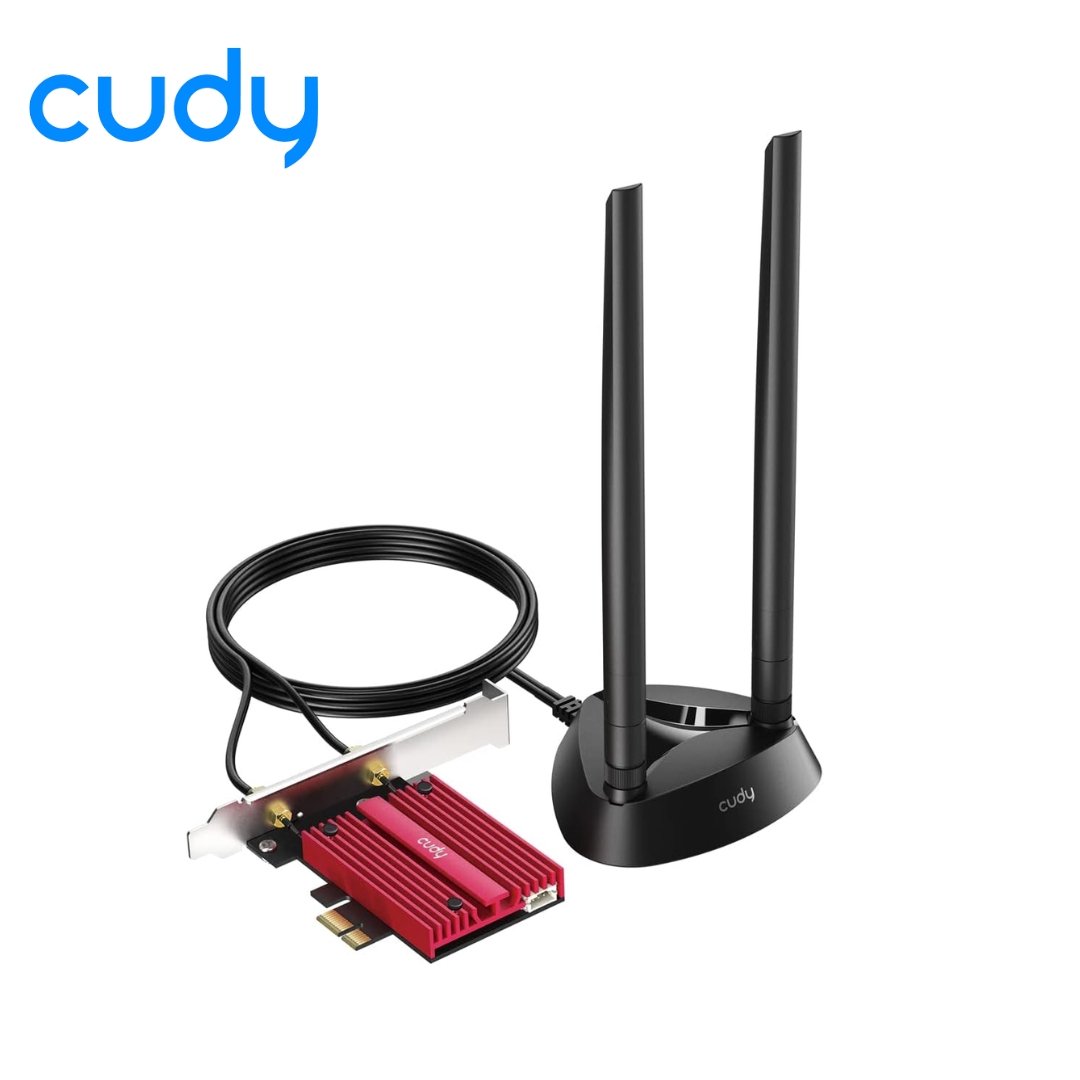
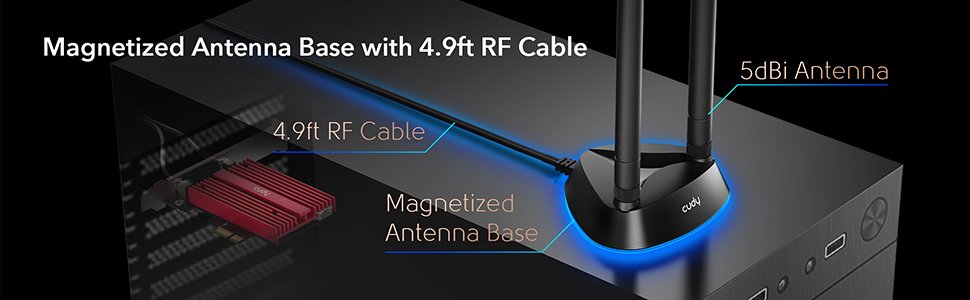
One major flaw of standard PCIe cards is that the antennas are stuck behind the PC case, often trapped between the metal chassis and a wall. This blocks the signal. The Cudy WE4000 Wifi 6E Bluetooth 5.3 PCIE Adapter solves this with a Magnetized Antenna Base.
-
Flexible Placement: The base is attached to a 1.5-meter RF cable. You can magnetically stick it to the side or top of your PC case, or place it on your desk for a clear line of sight to your router.
-
Result: This simple design feature can improve signal strength by up to 50% compared to direct-attach antennas.
Heavy-Duty Heatsink
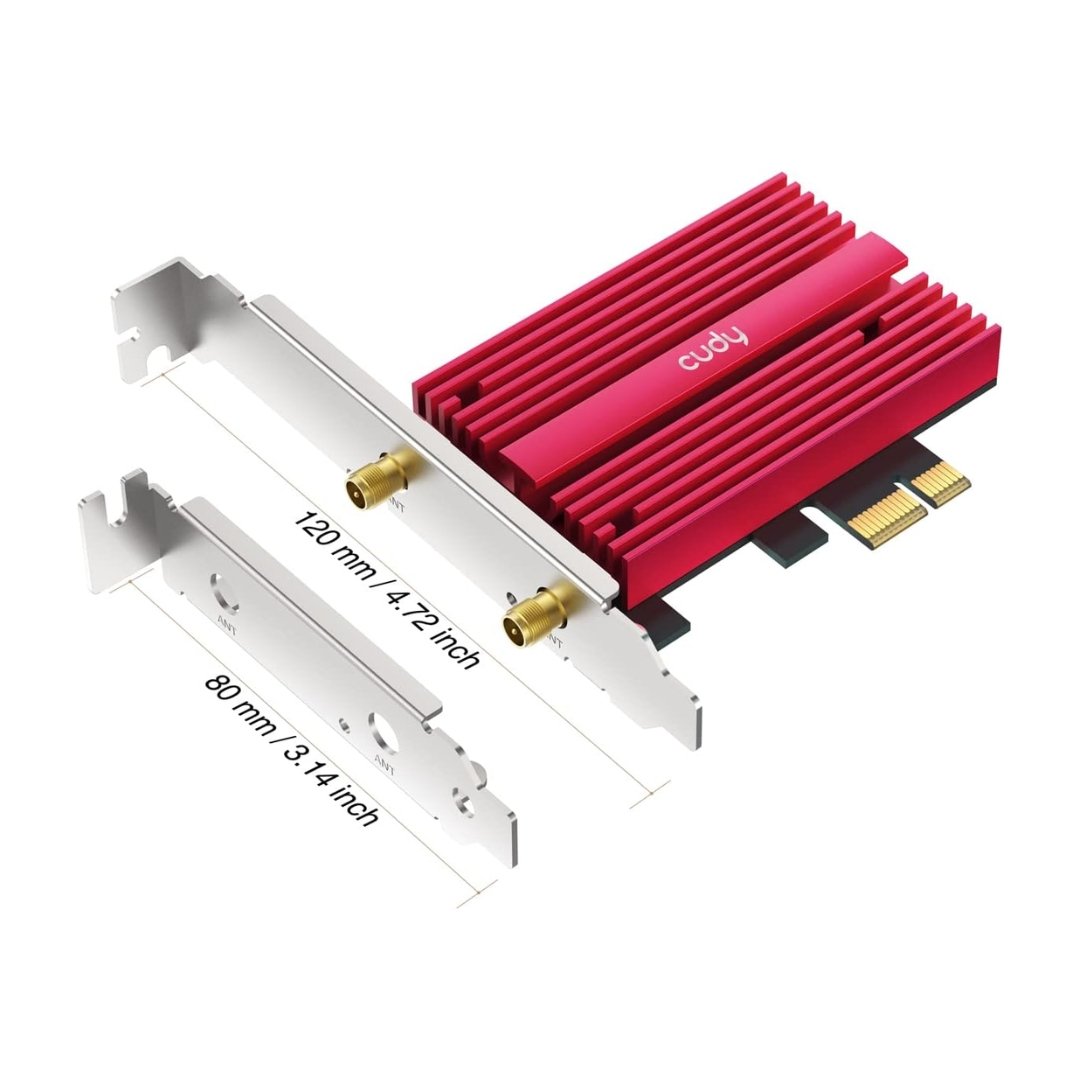
High-speed data transfer generates heat. If a Wi-Fi card gets too hot, it slows down to protect itself. The Cudy WE4000 Wifi 6E Bluetooth 5.3 PCIE Adapter is equipped with a specialized red aluminum alloy heatsink. This effectively dissipates thermal energy generated by the chipset, ensuring that you get maximum speed even during hours of intense gaming or downloading.
Technical Specifications
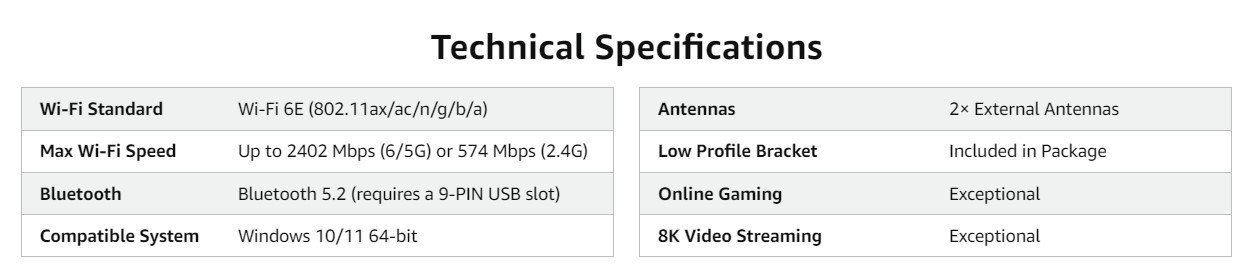
| Feature | Specification |
| Model | Cudy WE4000 |
| Chipset | Intel Wi-Fi 6E AX210 |
| Wireless Standard | IEEE 802.11ax/ac/n/a/g/b |
| Tri-Band Speed | 2402 Mbps (6GHz) + 2402 Mbps (5GHz) + 574 Mbps (2.4GHz) |
| Bluetooth | Bluetooth 5.3 (Backward compatible) |
| Interface | PCI Express x1 (Fits x4, x8, x16 slots) |
| Technologies | MU-MIMO, OFDMA, 1024-QAM |
| Security | WPA3 Encryption |
| Antennas | 2× 5dBi High-Gain with Magnetic Base |
| System Support | Windows 10/11 (64-bit) |
Why Buy From Computer Planet?
Computer Planet is the premier destination for high-performance PC components in Nepal. When you purchase the Cudy WE4000 Wifi 6E Bluetooth 5.3 PCIE Adapter from us, you are guaranteed:
-
Authenticity: We sell only genuine Cudy products with the original Intel AX210 chip inside.
-
Local Warranty: Full warranty support provided directly through our stores in Kathmandu and Biratnagar.
-
Expert Advice: Unsure if this fits your motherboard? Our technical team is available to assist you with compatibility checks and driver installation.
-
Best Market Price: We offer the most competitive rates for Wi-Fi 6E hardware in Nepal.
Don’t let a slow connection ruin your gaming experience. Upgrade to the Cudy WE4000 Wifi 6E Bluetooth 5.3 PCIE Adapter today and unleash the full potential of your fiber internet.
Frequently Asked Questions
Q: What is the Cudy WE4000 Wifi 6E Bluetooth 5.3 PCIE Adapter price in Nepal?
A: The price is highly competitive for an Intel-based AX210 card. Please check the top of this product page for the latest live pricing and stock availability at Computer Planet.
Q: Will the Cudy WE4000 Wifi 6E Bluetooth 5.3 PCIE Adapter work with my AMD Ryzen PC?
A: Yes, absolutely. While it uses an Intel chipset, the Cudy WE4000 Wifi 6E Bluetooth 5.3 PCIE Adapter is fully compatible with AMD Ryzen motherboards as long as you have an available PCIe slot and are running Windows 10 or 11 (64-bit).
Q: Do I need a Wi-Fi 6E router to use this card?
A: To access the 6GHz band, you need a Wi-Fi 6E router. However, the Cudy WE4000 Wifi 6E Bluetooth 5.3 PCIE Adapter is fully backward compatible. It will work excellently with standard Wi-Fi 5 or Wi-Fi 6 routers provided by Nepali ISPs like Vianet or Classic Tech, offering better range and stability than older cards.
Q: How do I install the Bluetooth feature?
A: The card comes with a Bluetooth header cable. You must connect one end to the card and the other end to an available F_USB (9-pin USB header) on your motherboard to activate the Bluetooth 5.3 functionality.

 Affordable, Entry Level Wireless Access Point Designed For Small-to-Medium Sized Businesses



There are no reviews yet.